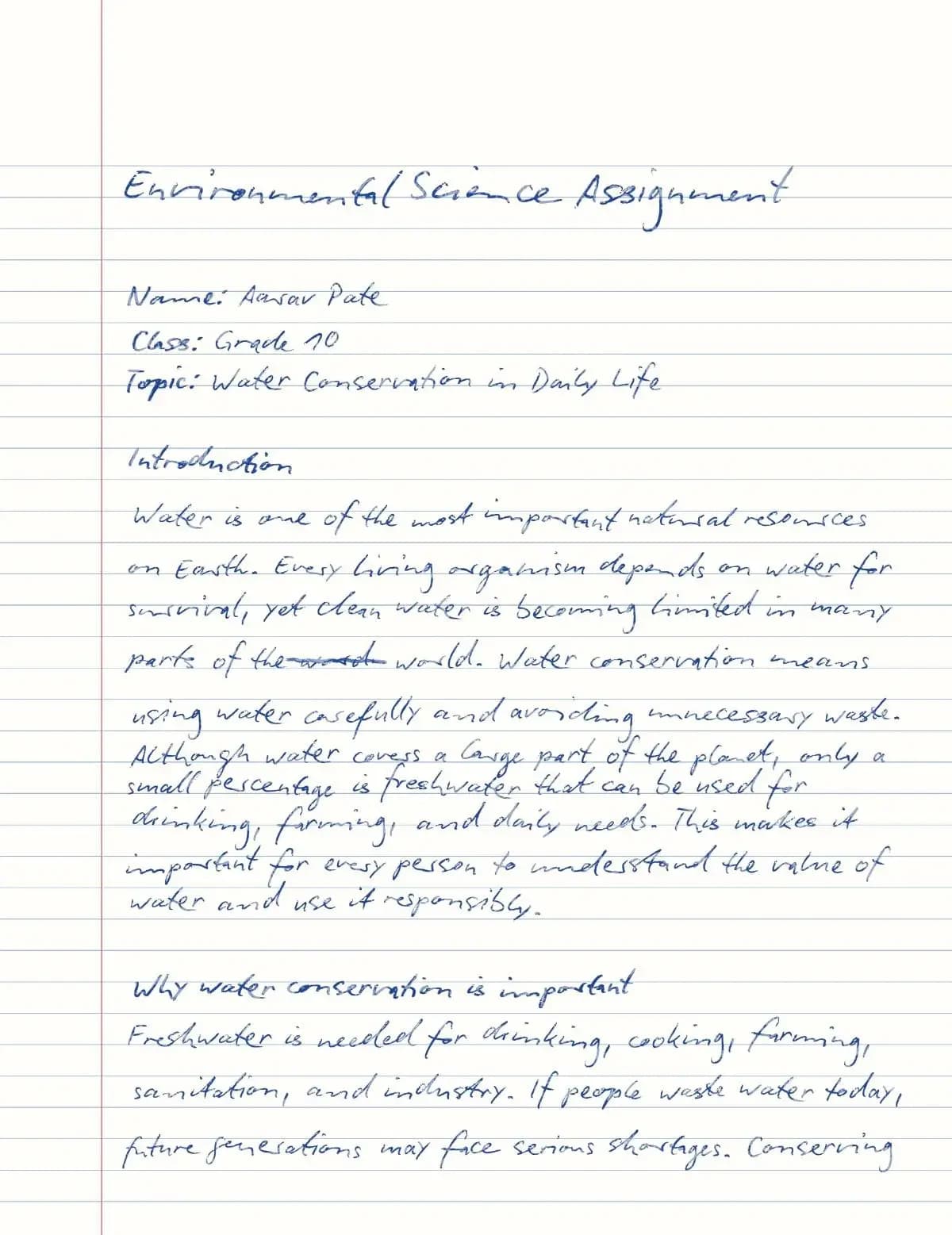
Homework assignment page
A clean lined-paper page for class assignments, homework and typed drafts that need to look written by hand.

Handtext guide
Handtext turns typed or pasted text into handwritten-looking pages for homework assignments, class notes, study material and letters. For most people the best start is a readable handwriting font, generous margins, and a quick look at the live preview before downloading.
Paste your text, pick a paper and handwriting font, tune spacing, margins and realism while the preview updates, then download a PDF or images when the layout looks right.
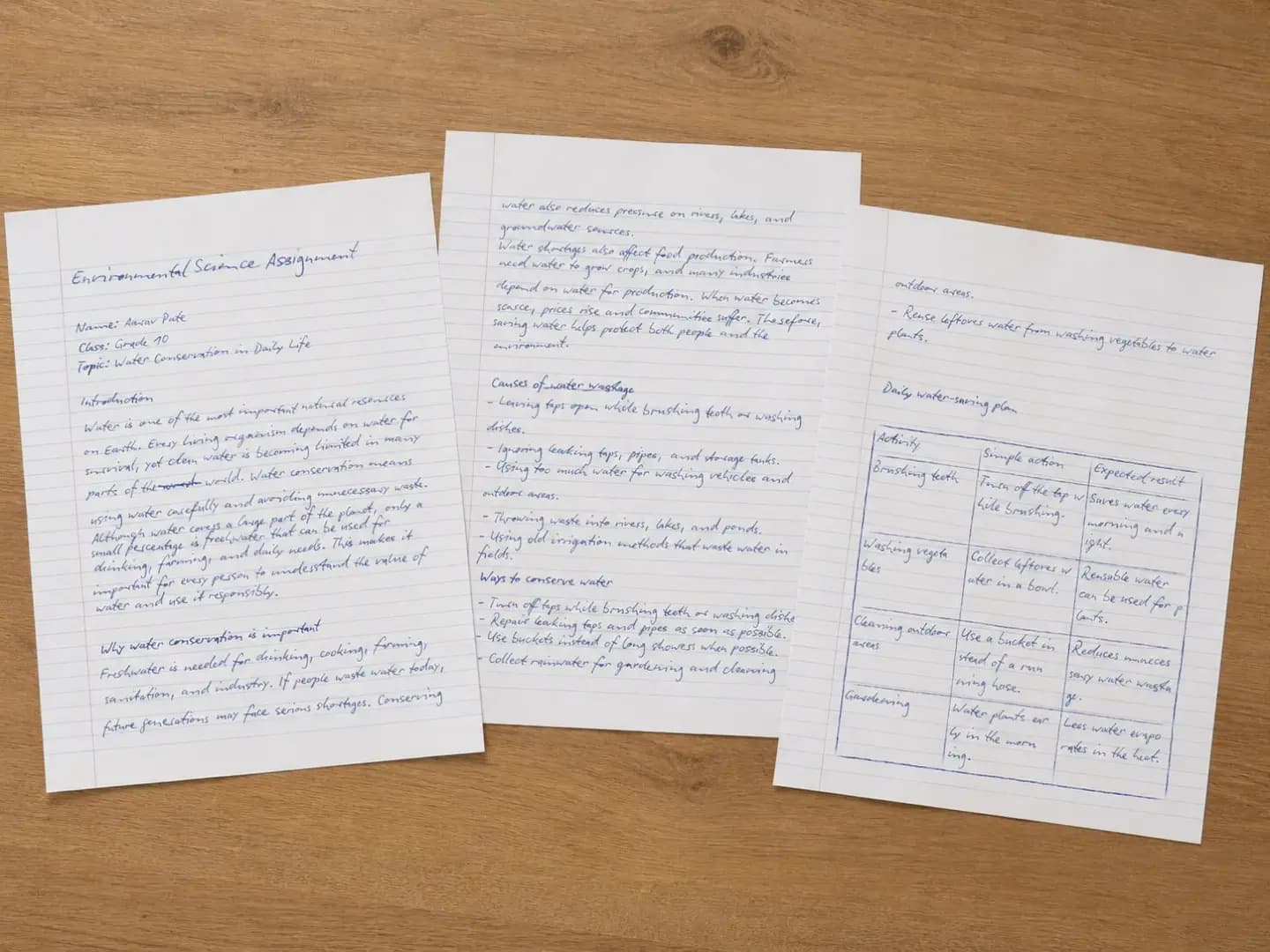
Real output example
A typed assignment turned into printable handwritten pages.
Paste text
Start from a typed draft.
Pick a style
Choose paper and handwriting.
Download
Export after previewing.
Quick start
The practical path most people should follow: start with clean text, make the handwritten result readable, preview, then download.
Step 1
Open the editor and type or paste your assignment, class notes, letter or any other text. Use lists, tables and equations to give it structure.
Step 2
Choose blank, lined or ruled paper — or a Pro paper such as college ruled, grid or Cornell notes — and portrait or landscape.
Step 3
Pick a handwriting font, then adjust font size, line height, paragraph gap, margins and realism until the page has room to breathe.
Step 4
The preview updates as you type. Check line breaks and page fit, and adjust font size or margins if the text feels crowded.
Step 5
Click Generate and download a PDF, or JPG/PNG images with one file per page. Each generate uses one page credit.
Examples
The best proof is the finished page. These examples show the main ways people use Handtext: school pages, math notes, and personal or business notes.
A clean lined-paper page for class assignments, homework and typed drafts that need to look written by hand.
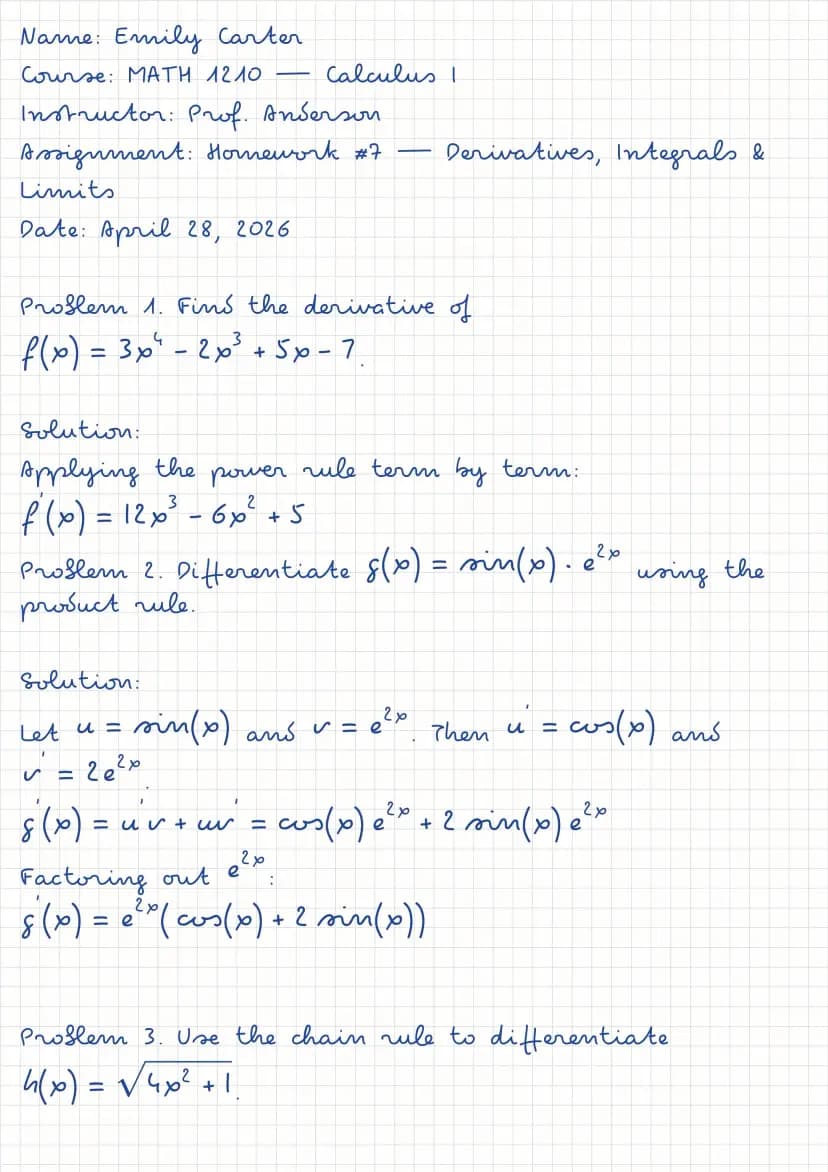
Squared paper keeps equations and working neatly aligned — ideal for math and science homework.
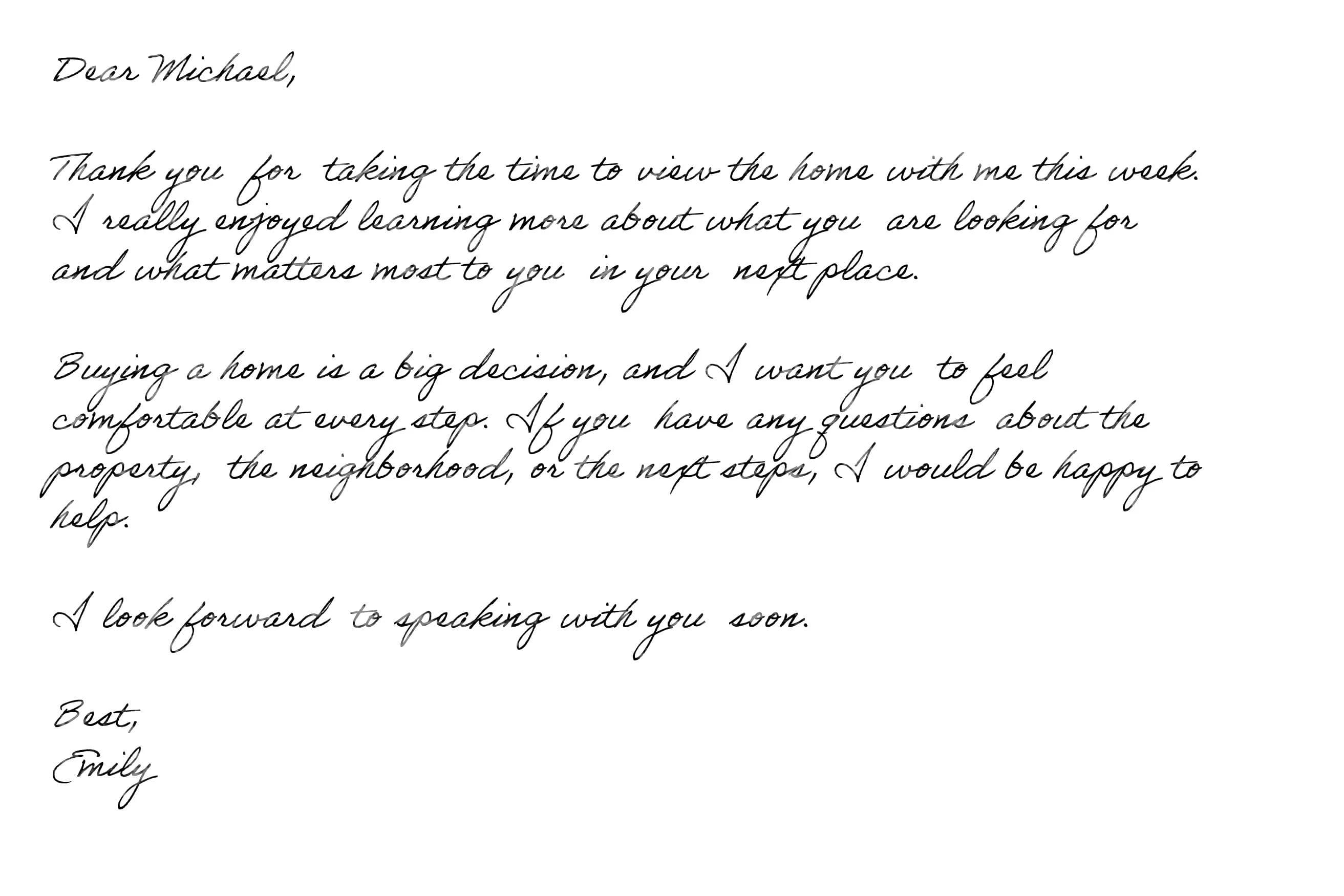
Thank-you notes, client follow-ups and cards in a flowing script, printed on card stock.
Output choices
Every export comes from the same page you see in the preview. Choose the format based on what you need the page to do.
The default choice for most people, and available on every plan.
One image per page, on every plan.
Lossless images for Pro and Premium.
Settings
For realistic handwritten pages, focus on readability and page fit first. Realism is most useful once the handwriting and layout already work.
Plain paragraphs, lists, tables and equations are the strongest fit. Each Enter starts a new paragraph, separated by the paragraph gap. Put titles on their own line — the handwritten page uses one writing size throughout.
Choose the handwriting font first, then tune font size, line height and paragraph gap so the page reads naturally.
Pick the paper early — ruled papers set their own margins so text starts inside the ruling. Adjusting margins usually fixes a crowded page better than a smaller font.
The realism slider adds natural variation to each letter. “Natural” suits most documents; save “Lifelike” for notes and cards where character matters.
Use cases
Handtext is strongest when the job is simple: start with typed text, choose a handwriting style, fit it onto a page, preview, and export.
Turn typed class notes, revision outlines and vocabulary lists into handwritten pages you can print and annotate.
Read the notes guideChoose lined, ruled or grid paper, preview the layout and download finished pages that look written by hand.
Open the converterCreate handwriting practice sheets for vocabulary, phrases and grammar notes in any language your chosen font supports.
Read the language FAQConvert thank-you notes, greetings and letters into a handwritten style for a more personal printed result.
Make a notePick a script font such as Dancing Script or Sacramento for invitations, journal pages and cursive practice.
Read the cursive guideWrite follow-ups and thank-you cards once, change the name and details for each person, and print them on card stock.
See howPlans
The editor shows PRO and PREMIUM badges on locked options. Here is what each plan adds.
Once the basic workflow is clear, these pages cover plan details, cursive handwriting, class notes and personalized notes.
See monthly credits and which papers, formats and quality levels each plan includes.
Compare plansStep-by-step guides for class notes, personalized notes and cursive handwriting.
Open the blogPaper choices, spacing and fonts that make study notes easy to read and review.
Read notes guideChoosing a script font, sizing it for readability and adding natural variation.
Read cursive guideThank-you cards, client follow-ups and short notes that feel personal.
Read notes guideFAQ
Clear answers about assignments, study notes, printing, limits, exports and page credits.
Paste your text into the editor, choose a paper and a handwriting font, adjust spacing, margins and realism while watching the live preview, then click Generate and download your pages.
Homework and assignment pages, class and study notes, letters, thank-you notes, cursive pages and handwriting practice sheets — anything where you already have the text and want it to look handwritten.
Paste the assignment, pick Lined or Ruled paper (or College ruled on Pro), choose a readable font such as Patrick Hand or Caveat, keep realism around “Natural”, check the preview and download a PDF to print.
Yes. Download a PDF for the sharpest print at any size. Pages are A4, in portrait or landscape.
No. Paste as much as you need — long text simply flows onto more pages. Each generate uses one credit, however many pages it creates.
Paper and font first, then font size and line height, then margins. Realism comes last — it should support the page, not fight readability.
Yes, as long as the handwriting font you choose includes the characters you type. Latin-alphabet languages work with most fonts; for other scripts, check the preview before you generate.
PDF and JPG on every plan, and PNG on Pro and Premium. Images come as one file per page, in Regular, HD or 4K quality depending on your plan.
Each time you click Generate, one credit is used from your monthly allowance. The live preview is free, so you can adjust as much as you like first. If a generate fails, the credit is returned.
Options with a PRO or PREMIUM badge need a higher plan. You can still pick them and see them in the preview; the editor explains what is needed when you click Generate.
Ready to create a handwritten page?
Start with your typed draft and preview before downloading.